 Learning
 Credentialing
 Compliance

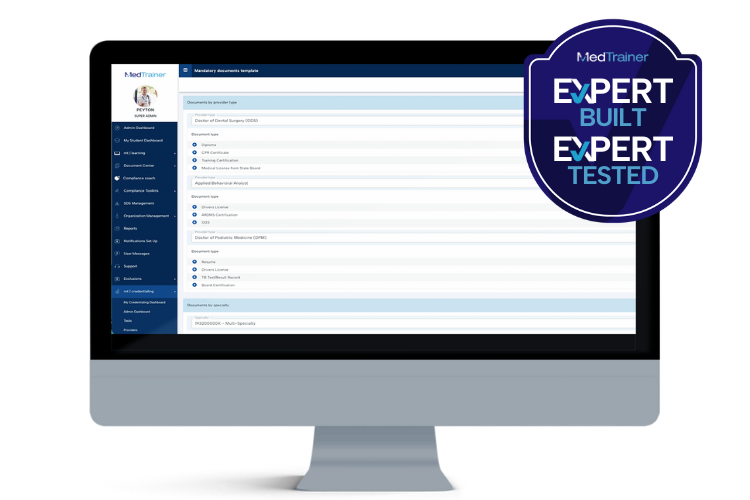
The truth is, there’s no escaping the complexities of credentialing. Regulations vary, requirements for roles differ, and locations and specialties introduce nuances. Credentialing teams are like the magicians behind the curtain who keep all those moving parts aligned.
But as organizations grow with more providers, more locations, and more specialities, tracking unique document requirements can quickly become a major administrative headache. Even with strong processes and experienced specialists, many credentialing teams are still doing a lot of manual back and forth between provider profiles, locations, specialties, and document lists to keep requirements accurate.
Our in-house credentialing team of over 120 experts experienced this digital whack-a-mole firsthand. Supporting more than 10,000 providers across 250+ healthcare organizations, they see just how complex credentialing becomes when requirements vary by provider type, location, and specialty. Knowing which documents are required based on a mix and match of provider type, location, and speciality was taking too much time and focus away from higher-value credentialing work.
In conversations with our product development team, the question emerged: What if credentialing requirements could be defined upfront and applied consistently throughout the platform? Thus the Mandatory Documents Template was added to MedTrainer’s credentialing software.
More Providers Shouldn’t Mean More Cleanup Work
Before the Mandatory Documents Template (and in most credentialing processes), collecting required documentation typically followed a familiar rhythm: A new provider is added, their role is identified, and a location (or several) is assigned. From there, credentialing teams made sure that the right documents are assigned to the right providers, often manually adjusting requirements based on provider type, state regulations, specialties, or facility-specific rules.
For multi-state or multi-site organizations, this could mean:
- Adding documents that didn’t apply, then deleting them later
- Manually building separate document lists for different locations
- Revisiting the same decisions across multiple provider profiles
- Fixing the same errors across multiple provider profiles when a requirement changed
In this process, MedTrainer’s credentialing specialists were spending too much time managing document logistics instead of reviewing credentials and supporting compliance.
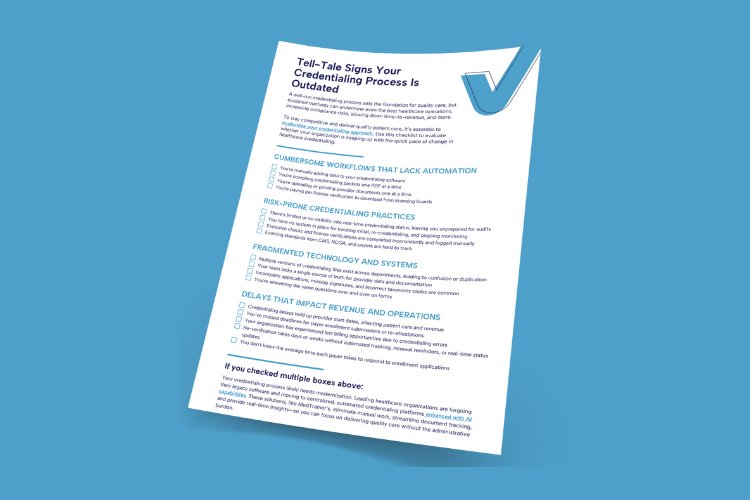
Find out if your outdated credentialing process is costing you.
From Repetitive Cleanup to Trusted Templates
With MedTrainer Mandatory Documents Template, credentialing teams can define documentation rules in a single, centralized place instead of managing requirements through individual profiles or scattered configurations.
Using Mandatory Documents Templates, teams can specify exactly which documents are required based on:
- Provider type
- Specialty
- State
- Location
Once those parameters are set, providers are automatically matched to the correct document requirements by recognizing when a provider’s role, specialty, or location aligns with the template rules. If a provider’s location changes or a new template is added, document requirements are updated throughout the system and within provider profiles. Users now have a dynamically updated list of required documents they can trust.
Built for Real-World Complexity
Consider a health system onboarding providers across several locations. A physician practicing in one state may need a slightly different set of documents than the same specialty practicing across state lines. Add in dozens of different specialties, and suddenly credentialing teams are manually adjusting document lists, removing irrelevant requirements, and almost guaranteeing a document is missed.
Using a Mandatory Documents Template, those small yet crucial variations are accounted for from the jump. Credentialing teams can create a template and define the rules once (by provider type, specialty, state, and location) and the system applies them automatically.
Mandatory Documents Template is especially impactful for organizations managing:
- Multiple states with different regulatory requirements
- Multiple facilities with location-specific rules
- Diverse provider groups where “one-size-fits-all” templates won’t cut ut
Only necessary documents are listed in the provider profile, so credentialers don’t have to rebuild or “clean up” document lists every time a provider moves, adds a location, or changes roles.
Built from Real Experience, Designed to Scale
This ongoing Expert Built series highlights how our team of more than 120 credentialing specialists play a key role in the rapid evolution and innovation of our solutions. The very same platform our clients rely on is the one we use internally, which creates a powerful feedback loop that constantly drives product improvement. The Mandatory Documents Template is a direct result of that feedback loop between our in-house credentialing team and product development.
This feature eliminates backtracking and busywork and allows our credentialing team (and yours!) to move faster without sacrificing accuracy. Credentialing will always require attention to detail, but it doesn’t have to demand constant manual configuration.
When the platform understands the rules, everyone benefits:
- High-volume credentialing teams save time, spending less effort navigating between screens or spreadsheets and more time reviewing what matters
- Providers receive clear, concise, and more accurate document requests, reducing confusion and follow-up
- Organizations stay compliant, with confidence that requirements are applied consistently and correctly
Ready to see how Mandatory Documents Templates can further simplify credentialing for your team? Learn more today.
In the meantime, read another article in the Expert Built series.
Key Takeaways:
- Credentialing complexity grows rapidly with more providers, locations, specialties, and regulations, making manual document tracking time-consuming and error-prone
- MedTrainer’s Mandatory Documents Template centralizes and automates document requirements by provider type, specialty, state, and location, eliminating repetitive cleanup
- By applying rules consistently and dynamically across provider profiles, the template saves time, improves accuracy, and ensures compliance for high-volume credentialing teams