 Learning
 Credentialing
 Compliance


Buying credentialing software should feel like progress, not pressure. But for many healthcare teams, the moment that contract is signed, reality sets in: implementation looms, daily work doesn’t pause, and suddenly, that new solution starts to feel like another item on an already full plate.
All too often, that shiny new solution ends up collecting dust, abandoned by frustrated users. It never gets fully implemented, doesn’t get used to its full potential, or becomes a tool only one person uses. The result? Missed ROI, frustrated teams, and no real operational improvement.
That’s the last thing anyone wants. You’re purchasing software to solve a problem, so let’s get solving!
At MedTrainer, we believe software should start solving your problem from day one. We’ve helped thousands of healthcare organizations implement our platform and we’ve refined our process to provide value fast, which means getting up-and-running as quickly and easily as possible.
Here’s a look at how MedTrainer approaches this process and what you should expect during those crucial first weeks.
Get What You Need To Go From Overwhelmed To Operational
Credentialing touches every part of your organization. So when it’s slow or fragmented, everyone feels the effect. That being said, a quick-impact software means different things for different roles within your organization.
For admins, getting immediate value from your software means it:
- Works right away, without complex setup
- Makes their job easier from day one
- Doesn’t require chasing support to figure out what to do next
- Shows clear progress and removes guesswork
For the organization, getting immediate value means:
- Everyone is using the software
- Having access to data that shows status and updates
- Reduces manual tasks through automation
- Making trackable progress that gets you closer to your organization’s goals
When software checks these boxes in the first week, adoption soars. Admins will not only use the system, they’ll rely on it, advocate for it, and expand their use over time. Executives will see real progress, and ROI becomes less theoretical and more tangible.
Usable From Day One
The fastest path to value starts with being able to actually use the software. You should be able to log in, add provider information, and start building workflows without delay. Most system admins are juggling implementation alongside their daily responsibilities and to-do lists. The last thing they need is more work on their plates.
Here’s what you should be able to accomplish within the first seven to 10 days:
- Login to the platform and get the single sign on (SSO) process started
- Receive training and begin loading provider data
- Configure your first dashboards and reports (that’s what everyone is excited about, right?)
- Ensure your vendor’s support team knows your goals and is just as focused on them as you are
You’ve now got an early win to share! You’re not just set up. You’re using the system.
Don’t Let Data Drag You Down
We get it: the thought of moving all your credentialing data can feel overwhelming. But in order to be usable, the system needs those details. Don’t worry, it’s likely not as daunting as you think – especially with the right systems and support in place.
With MedTrainer, you get the tools you need to make data transfers simple and as headache-free as possible. For example:
CAQH Integration: Automatically pull provider data directly from CAQH into MedTrainer with just a few clicks. Instead of manually copying or re-entering information, MedTrainer directly connects to CAQH to retrieve the latest profile data.
Bulk Provider Document Upload: Upload credentialing documents in bulk. The system scans and tags files by type, assigning them to the right provider or location — reducing manual drag-and-drop and naming efforts.
AI-Driven File Classification: Uploaded documents are automatically scanned and categorized based on type, provider, and expiration date. MedTrainer recognizes the document type and knows exactly where to store it.
Auto-Extraction of Data: Relevant information like license numbers, expiration dates, and NPI details are automatically pulled from uploaded documents and populated into the provider’s credentialing profile.
This kind of automation and AI support means no hunting through spreadsheets, no duplicating data entry, and no delay in getting started. A robust platform should have built-in ways to eliminate this friction from the start, helping you improve accuracy and reduce revenue-impacting errors.
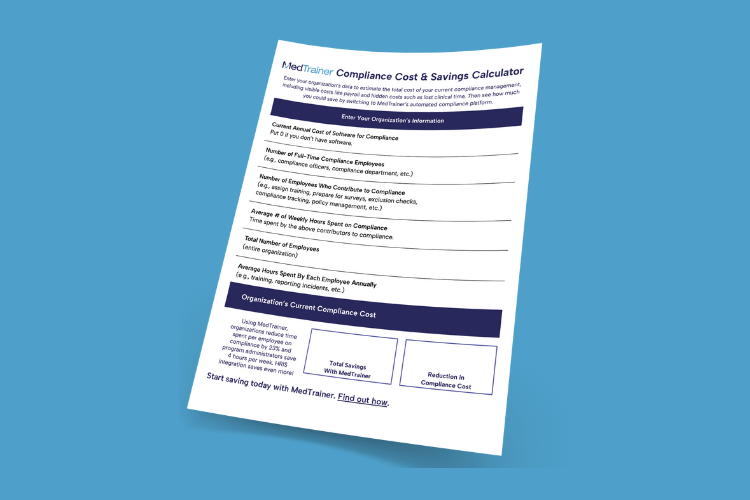
Use this easy worksheet to see how much compliance is really costing your organization.
Support Should be Strategic
Even the best software can fall flat without the right support team behind it. We also understand admins are often not the buyers, they’re the implementers, and they’re balancing credentialing with dozens of other responsibilities. While some of the initial lift falls to the admins during implementation, your vendor’s support team should feel like a true partner (not a help desk).
Vendor support should be there to offer:
- Milestone-based setup: Clear checkpoints for admin access, integrations, provider uploads, and training
- Guided to-dos: Step-by-step guidance to avoid stalling
- Strategic introduction of features: It’s too overwhelming to learn every feature on day one. We’ll introduce advanced workflows and features on a proven cadence based on when most customers are ready for the information (if you’re ready sooner, let’s do it!).
For example, it might not be helpful to dive into credentialing dashboards or custom reports before navigating the platform. A strategic onboarding process from your vendor should build off user readiness without needing to master every corner of the system right away.
Support Should Also be Reliable and Consistent
You shouldn’t have to chase down your vendor for help.
A strong support team delivers:
- Fast response times
- Real-time accountability and encouragement
- Setting and managing expectations across the onboarding journey
- Ensuring users know what to do next and why
Customers who follow their onboarding instructions and complete their to-dos on schedule are far more likely to see success quickly.
Keep Your Goals in the Driver’s Seat
No two organizations implement medical credentialing software for the same reasons. Some need to reduce claim denials. Others are prepping for audits. Some are scaling fast and onboarding dozens of providers. That’s why one-size-fits-all onboarding simply doesn’t work.
A great vendor will understand your goals and objectives from day one, and then keep them top of mind throughout onboarding and well beyond. They should tailor early setup to meet those goals more quickly – not for the sake of checking a box, but to build immediate value around what YOU care about. When milestones align with your broader objective, it strengthens the value add and illustrates trackable success.
For example, if your biggest pain point is enrollment delays, your onboarding should prioritize payer workflows and visibility tools rather than optional reports you won’t use as often. If your biggest pain point is administrative workload your setup should focus on automation features that help your team work smarter, not harder.
Get Immediate Value with MedTrainer
Credentialing software should make your job easier, not give you a second one. If you’re still stuck in setup mode after weeks, or the only person using the system is your credentialing lead, it’s time to ask: Is the problem the platform? Or the process?
At MedTrainer, we guide every customer to their first time-to-value milestone in 10 days or less, with customized onboarding checklists, light-touch early sessions, and clear expectations from day one. With a focus on the customer’s goals, a phased adoption process, and award-winning customer support, we’re helping healthcare organizations get to value and impact sooner.
Whether your team is switching systems or implementing credentialing software for the first time, MedTrainer will unlock operational value in days, not months. Learn how to accelerate success from day one.