 Learning
 Credentialing
 Compliance

Key Takeaways
- MedTrainer runs five workflows end-to-end — training, onboarding, policy management, privileging, and enrollment — without manual handoffs between steps.
- Each step triggers the next automatically, so nothing sits waiting on someone to notice it’s their turn.
- Your role shifts from managing every step to reviewing the results once the workflow finishes.
Healthcare organizations aren’t short on systems. They’re short on systems that fully complete tasks. Meaning to keep the system moving, manual intervention, re-entering data, or switching tools is required.
The systems are not the problem. The gaps between them are.
MedTrainer is built so workflows run from start to finish, in one place, without manual handoffs. Assignments trigger automatically. Reminders send themselves. Data moves without re-entry. The difference starts with how a workflow is built.
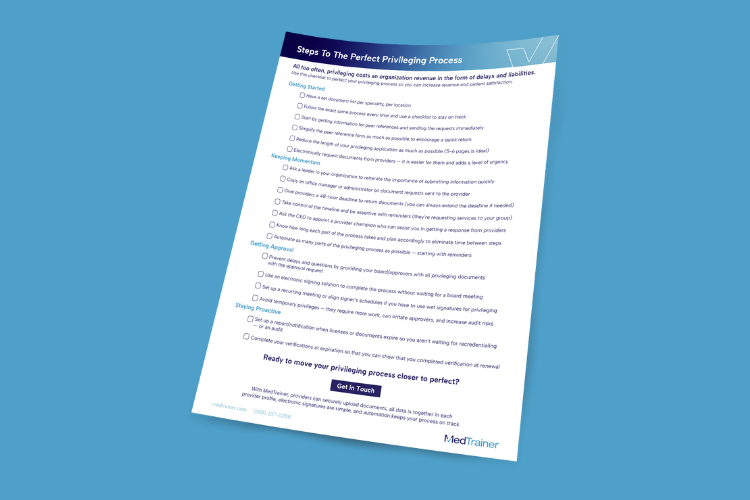
Shorten your privileging process with this free checklist.
What Changes When a Compliance Process Runs Itself?
Let’s use policy approval as an example. Many teams manage the process one task at a time. You send a policy out for review. You follow up when it sits with a reviewer too long. You track down who still needs to sign off before it can move forward. In between each step, you’re just waiting for someone else to find the time. Your involvement is the only way each task gets done.
A workflow is different because it runs itself. When a process runs end-to-end in one place, each step automatically triggers the next. Let’s say a policy needs sign-off from a reviewer, then final approval from an approver at the next level. Once the reviewer signs off, MedTrainer automatically notifies that approver, even if they’re outside the system. The process keeps moving without anyone having to follow up.
You get hours in your week back. The process doesn’t stall while you wait for someone to notice it’s their turn. Gaps in your compliance program disappear too. You’re no longer relying on memory to know who’s supposed to review a policy next. The system already knows. This shifts your role from carefully managing each step of the process to simply reviewing the final results.
Which Workflows Run Themselves in MedTrainer?
MedTrainer runs a number of different workflows end-to-end right in the platform. But today, I’m going to focus on course assignments, onboarding paths, document and policy management, privileging, and provider enrollment. Here is how each one works.
Compliance Training Assignment
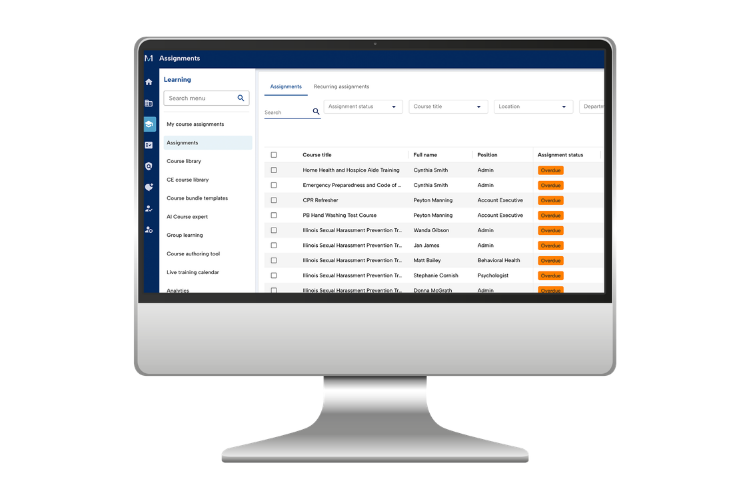
A traditional training process requires research, course assignment, and tracking certificates. That often means juggling a spreadsheet, a separate LMS, and your own memory of what each role requires. You probably have parts of a workflow in place. For example, maybe your LMS sends automatic completion reminders to learners. But you still have to identify and assign the courses, and remember to pull reports periodically. MedTrainer’s workflow takes you from course selection to completion tracking, without any manual research, reminders, or certificate chasing.
You’ll start the process with AI Course Expert, MedTrainer’s AI tool that recommends compliance training courses. It kicks off the course assignment workflow by identifying the training each employee needs, based on their state, accreditation, care setting, and role. It cites the regulation or standard behind each requirement. Then it returns a list of aligned MedTrainer courses and explains why it recommends each one.
Once you’ve reviewed, you assign the recommended courses directly from the results, or add them to an existing course package. MedTrainer sends reminders until learners finish training. If a course requires periodic renewal, MedTrainer reassigns it automatically on that cadence. Once a learner finishes, MedTrainer adds the certificate to their profile, tracks progress in real time, and surfaces any training gaps on your dashboard.
That means you don’t need to memorize every role’s training requirements. You don’t need to chase certificates or check who’s still compliant. The workflow carries the process from course selection to completion tracking, and your job shifts from doing the work to reviewing the results.
New Hire Onboarding Paths
MedTrainer’s Onboarding Paths, built-in healthcare onboarding software, automatically assigns the training, policy acknowledgments, and HR forms each new hire needs. Assignments are based on role, department, and location. Without automation, building that list for every new hire means hours of manual setup repeated each time someone joins.
Onboarding Paths handles that setup once. New hire demographic information flows directly from your HRIS or API integration into MedTrainer, eliminating duplicate data entry. When a new user is created, the platform assigns courses, policies, and forms automatically and sends reminders until every item is complete. No separate LMS, HR system, or spreadsheet required.
Your new hires see one dashboard with everything they need to complete. You see real-time completion status without having to follow up. That’s significant time you’d give back to whoever used to sit down with every new hire individually to walk through paperwork and logins. All you do is review progress and step in if something needs attention.
Document and Policy Management
MedTrainer Policy Management handles the entire policy lifecycle in one centralized platform. In many organizations, that process is scattered across tools, email threads, and spreadsheets. You can handle that with a single workflow inside MedTrainer’s platform.
Start by selecting from more than 3,000 expert-drafted policy templates, searchable by topic or care setting. Customize the policy as needed and request necessary review. Stakeholders can redline and comment directly in the platform, no MedTrainer account required.. Everything is tracked for a complete audit trail.
When it’s final, reviewers can give approval electronically, tracked automatically. Say it’s an infection control policy. It might need sign-off from department leads, then compliance, then a facility administrator. MedTrainer notifies each one automatically in that order, and no one without sign-off authority can jump the line. All version history is tracked so it’s easy to show updates and changes.
MedTrainer’s e-signature tool collects formal sign-off directly. That works whether the signer is one person, a group, or someone outside your organization. From there, the policy publishes and MedTrainer distributes it to your staff, with acknowledgement requested so you know it’s been reviewed.
Real-time dashboards show exactly who has and has not acknowledged, so you can address gaps before an audit does. MedTrainer also sends a notification 60 days before a policy is due for review, so nothing gets stale. All you do is monitor completion and follow up where needed.
Privileging and Appointments
MedTrainer’s privileging workflow automates the process from application to approval, handling electronic forms, e-signatures, and document compilation in one place.
It starts with primary source verification. Licenses and certifications get pulled and archived automatically, not chased down board by board. From there, the privileging application pre-populates with the provider’s data (imported from a direct CAQH integration). The required credentials group automatically into a single submission packet, whether the request is for privileges within your own organization or at an outside facility.
Board approval signatures happen right inside MedTrainer. The provider signs electronically, and the completed packet moves straight to the board or committee for digital review and sign-off, even for external board members (no MedTrainer login required). You can see exactly where a privileging decision stands at any point, and communication with providers and reviewers stays inside MedTrainer instead of scattered across email. Internal and external privileges live in a single provider profile view, so there’s one place to check, not several.
Customizable reports flag expiring privileges before they lapse, even with renewal cycles that typically run two to three years. By the time you review, everything is already compiled, verified, and current. All that’s left is to approve, knowing the right provider is cleared for the right procedure, at the right place, right time.
Payer Enrollment
MedTrainer’s provider enrollment workflow reduces the manual effort of getting providers enrolled with payers.
It starts with the right documents on file. Set the mandatory documents required by speciality or location to ensure the correct paperwork is maintained for each provider type, the same foundation that supports privileging. Direct CAQH integration pulls provider data into the platform and auto-fills enrollment forms. Payer-specific packets generate instantly from that same provider profile, ready to submit to each payer. Group enrollment lets you process multiple providers under the same tax ID at once.
Once submitted, every payer relationship lives in the provider’s profile instead of a spreadsheet. You can watch it move from submission to approval to an active contract date. You can set reminders to follow up with payers on your own timeline. Every communication gets logged, so if a payer later disputes a provider’s enrollment, you have the record to prove it.
MedTrainer also flags recredentialing 120 days before it’s due, useful given recredentialing cycles typically run around three years. You still do the work of getting providers enrolled. MedTrainer makes sure nothing falls through the cracks along the way.
Run Your Most Critical Workflows in One Place
Each of these workflows does more than save time on individual tasks. Training assignments, policy acknowledgments, credentialing applications, and payer enrollments used to mean juggling separate systems or spreadsheets to get anything done. Now they run in one connected workflow that doesn’t require a watchful eye.
That is the shift MedTrainer makes possible. Instead of coordinating each step across separate tools, your team does the work in one connected platform. Courses are assigned, policies are routed, credentials are verified and providers are enrolled all in the same place. Your team spends less time managing processes and more time on the work that actually moves things forward.
Ready to dive in further to learn how to get providers enrolled faster? Download our free guide on cutting enrollment delays.