See if MedTrainer is right for you Request a Demo

MedTrainer Improves Your Healthcare Incident Reporting Management

  • Digital Forms Accessible Anywhere
  • Drag-and-Drop Form Builder
  • Report Anonymously
  • Automate Routing & Review
  • Severity Levels
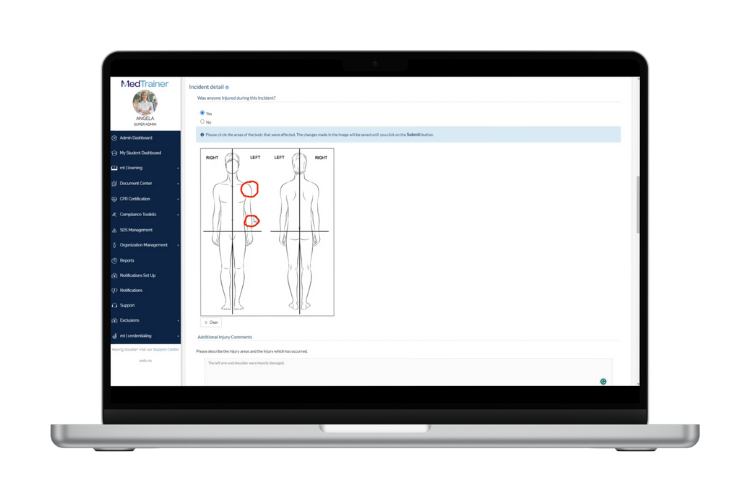
digital forms accessible anywhere
Digital Forms Accessible Anywhere

Mobile-Friendly Digital Forms

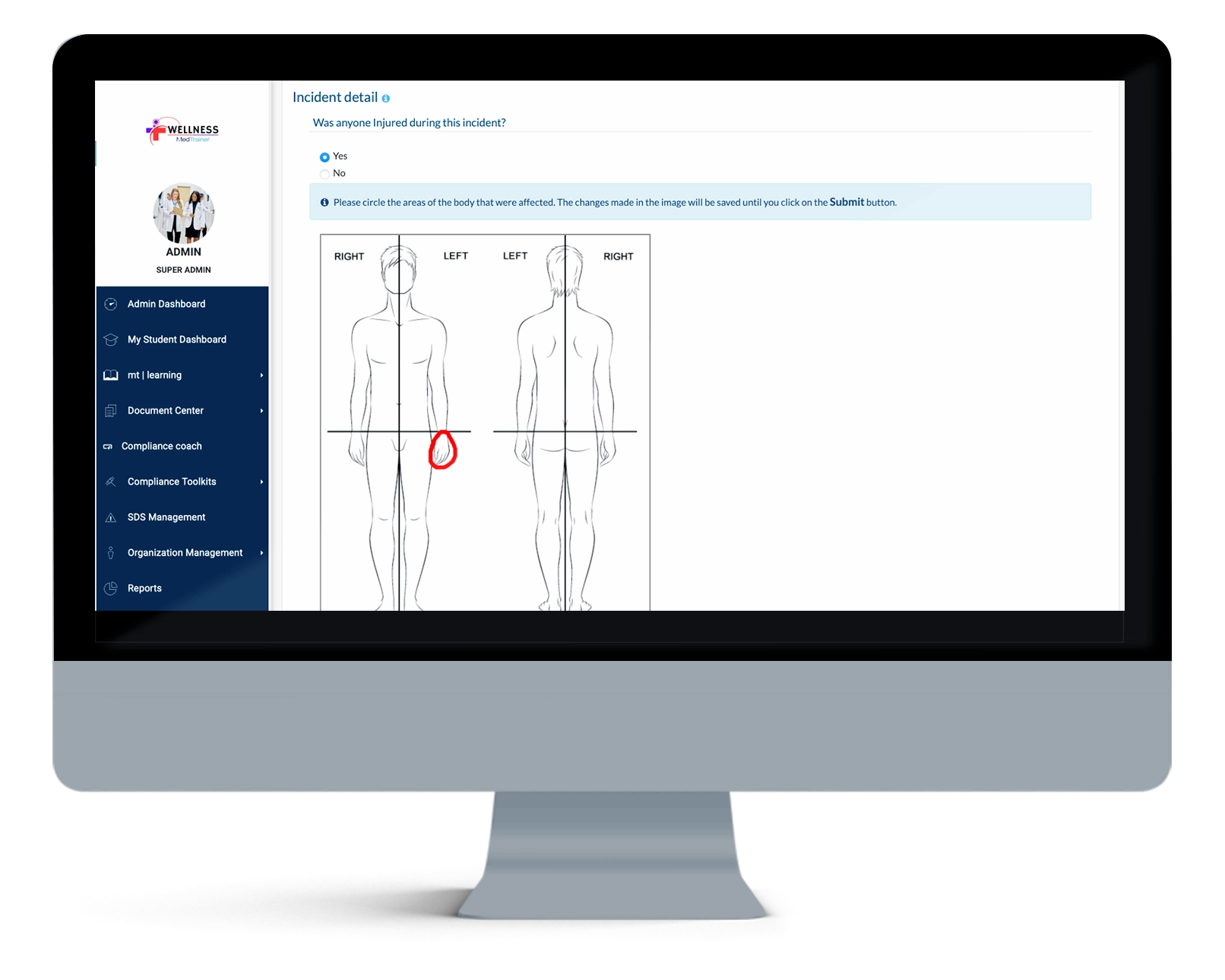
Staff submit incidents from any device or location, allowing immediate capture of complete details. Digital incident reporting software access accelerates response, supports inclusion of photos for greater accuracy, and improves efficiency across sites. Compliance leaders gain more timely, reliable data to manage risk proactively.

Drag-and-Drop-Form_Builder
Drag-and-Drop Form Builder

Easily Customize Incident Forms

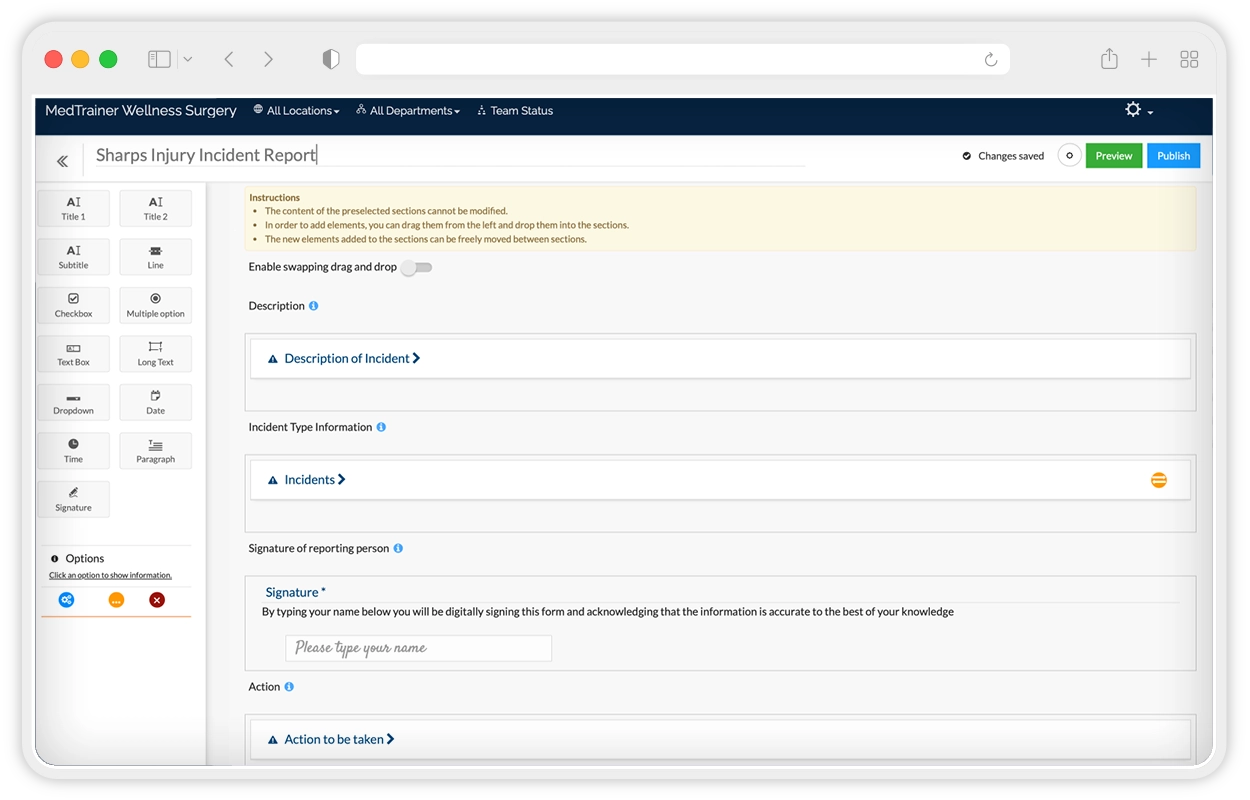
Design incident forms using drag-and-drop fields — text, multiple choice, or checkboxes — and customize the escalation by form. Tailored forms reduce errors, capture the most relevant details, and give compliance teams cleaner data for trend analysis and faster resolution. All within the healthcare compliance software.

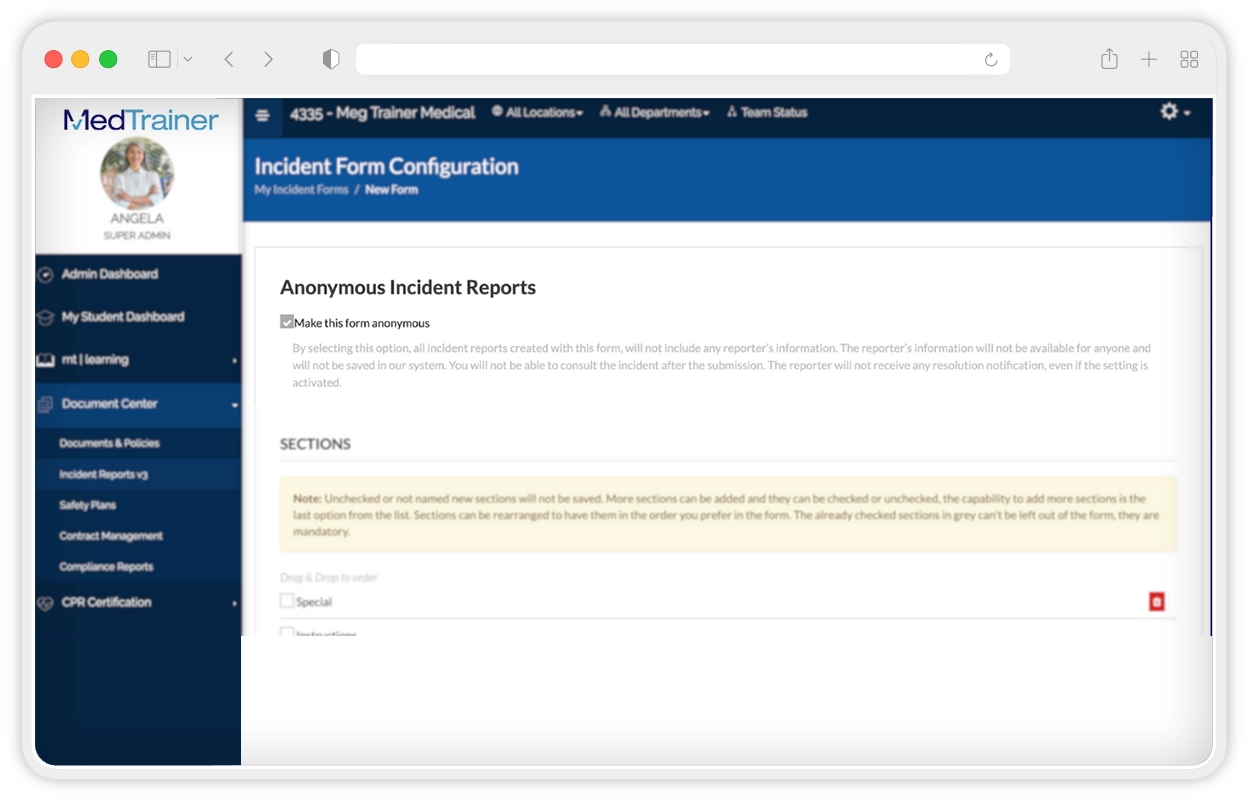
report anonymously
Report Anonymously

Anonymous, Mobile Incident Reporting Intake

Enable staff to submit anonymously in the healthcare incident reporting software from any device, without tracking IP addresses. Removing fear of repercussions encourages more complete reporting. The reporting software also provides clear communication in compliance and faster resolution of sensitive issues.

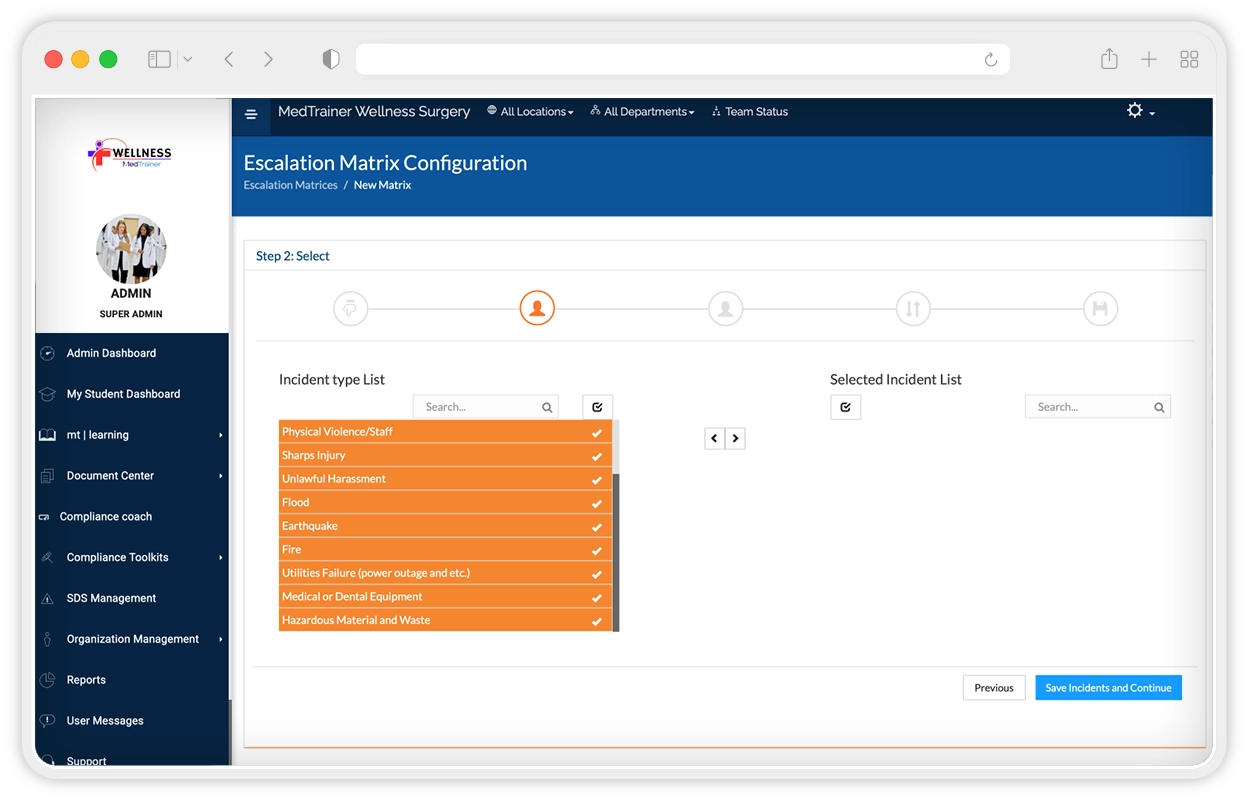
escalation matrix
Automate Routing & Review

Automated Incident Reporting Software Routing & Escalation

Automated workflows route incidents to the right reviewer and escalate if deadlines are missed. Notifications in the healthcare compliance platform keep processes moving, reducing holdups. Compliance leaders see accountability at each step., Executives gain assurance that urgent issues are resolved quickly and consistently.

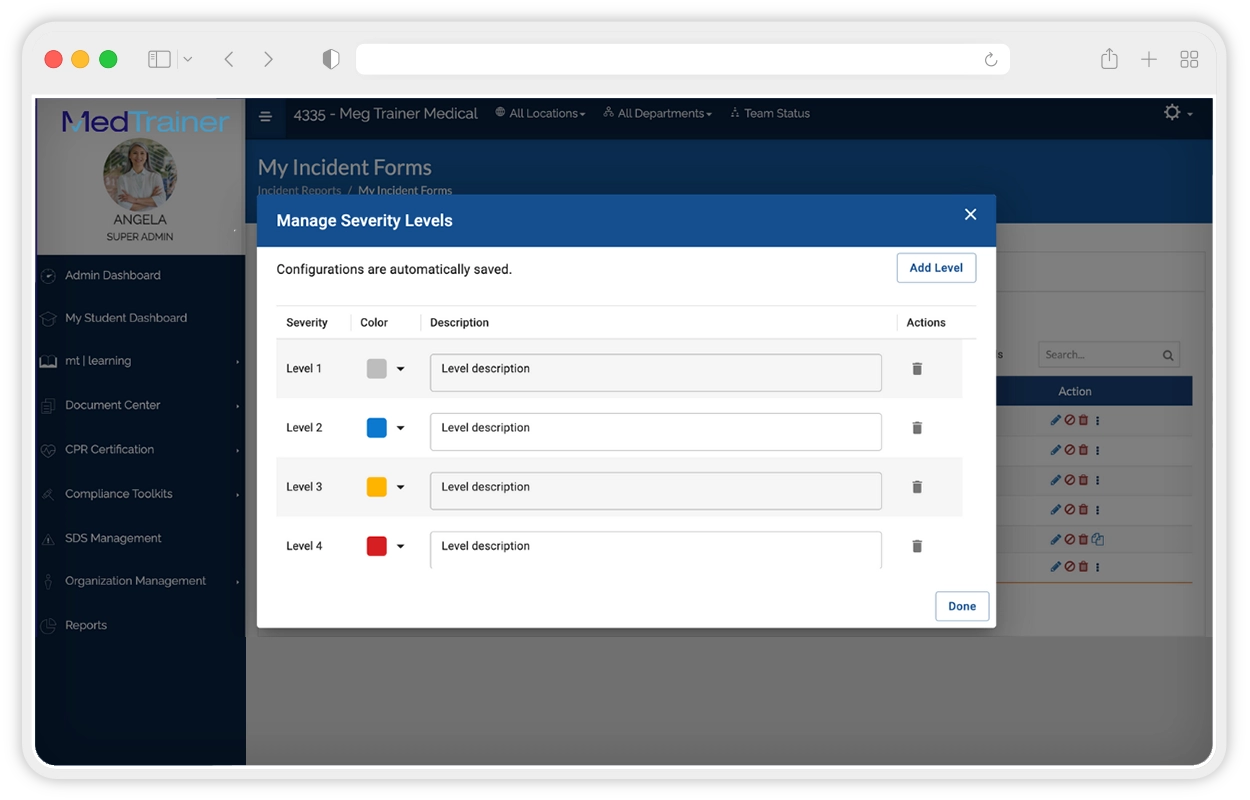
severity levels
Severity Levels

Severity Levels & Prioritization

Standardize incident classification to prioritize responses and allocate resources effectively. Clear severity levels improve triage, highlight systemic risks, and support better patient safety outcomes. Analyze severity trends easily with customizable incident reporting software so leadership can address root causes, not just individual events.

Digital Forms Accessible Anywhere

Mobile-Friendly Digital Forms

Staff submit incidents from any device or location, allowing immediate capture of complete details. Digital incident reporting software access accelerates response, supports inclusion of photos for greater accuracy, and improves efficiency across sites. Compliance leaders gain more timely, reliable data to manage risk proactively.

Drag-and-Drop Form Builder

Easily Customize Incident Forms

Design incident forms using drag-and-drop fields — text, multiple choice, or checkboxes — and customize the escalation by form. Tailored forms reduce errors, capture the most relevant details, and give compliance teams cleaner data for trend analysis and faster resolution. All within the healthcare compliance software.

Report Anonymously

Anonymous, Mobile Incident Reporting Intake

Enable staff to submit anonymously in the healthcare incident reporting software from any device, without tracking IP addresses. Removing fear of repercussions encourages more complete reporting. The reporting software also provides clear communication in compliance and faster resolution of sensitive issues.

Automate Routing & Review

Automated Incident Reporting Software Routing & Escalation

Automated workflows route incidents to the right reviewer and escalate if deadlines are missed. Notifications in the healthcare compliance platform keep processes moving, reducing holdups. Compliance leaders see accountability at each step., Executives gain assurance that urgent issues are resolved quickly and consistently.

Severity Levels

Severity Levels & Prioritization

Standardize incident classification to prioritize responses and allocate resources effectively. Clear severity levels improve triage, highlight systemic risks, and support better patient safety outcomes. Analyze severity trends easily with customizable incident reporting software so leadership can address root causes, not just individual events.

What Our Customers Are Saying

40 hours

On average, MedTrainer customers have saved 40 hours a week.

9/10

9 out of 10 customers feel more prepared for a survey or inspection with MedTrainer.

99.8%

99.8% of MedTrainer customers have passed all surveys or inspections over the past year.

Benefits

Only pay for what you need and not a dollar more.

Easily manage the status of multiple locations from one intuitive healthcare incident reporting software.
Save time and eliminate the manual process of creating and storing incident reports.
Shorten the time to incident resolution with automated review escalations to a pre-set group of people.
Stop delays and missing information when staff can complete incident reports from anywhere with an internet connection.
Streamline the audit process with an improved healthcare incident reporting management software, simplifying data collection and giving you peace of mind.
Eliminate the burden of remembering how to use multiple systems, when MedTrainer can bring 7+ compliance needs into one healthcare management platform.

See how MedTrainer's AI-enhanced workflows blend healthcare expertise with advanced technology.

"MedTrainer gives us the ability to complete incident reports digitally. Having access to multiple educational files has made a huge difference in our staff education. Incident reports are no longer floating around on paper and working to keep track when resolution is needed. It is all in one place the entire time."

Allie Tsotigh
HR & Credentialing Manager, Physicians Surgical Center
testimonial-bg-shape.png

"When an incident occurs (i.e. needle sticks), we use MedTrainer to document patient information and how the incident occurred. We also have policy and procedures loaded so staff have these resources at their fingertips to reference in case of an emergency."

Kim Wright
Practice Administrator, Allergic Disease and Asthma Center
testimonial-bg-shape.png

See how much you can save from a streamlined healthcare incident reporting software.

Request a demo today.

MT_Home_Product_1440x649_A

Resources

Frequently Asked Questions: MedTrainer Incident Reporting Software

What is MedTrainer’s healthcare incident reporting software?

MedTrainer’s healthcare incident reporting software gives you one connected place to document, review, and resolve incidents, so reports are created online right away and routed to the right people without waiting on paper or email. Every submission follows a consistent process, which helps you avoid missing details, reduce delays, and keep the conversation moving until the incident is closed. Because incident reporting lives in the same MedTrainer platform you already use for policies, training, and other compliance tasks, you can respond faster, keep accurate records for audits or surveys, and see how issues progress from report to resolution across locations. The Incident Report module supports customizable forms and escalation workflows that match how your organization works, so you spend less time chasing information and more time fixing problems and preventing repeat issues.

How does digital incident reporting improve compliance and accountability?

Digital incident reporting software improves compliance by giving your organization a dependable way to record what happened, when it happened, and how it was resolved. With unlimited customizable forms, each report in MedTrainer’s incident reporting software can be logged with the right details, creating a full history that’s always available. This transparency builds accountability at every step and provides the paper trail that’s needed in an audit or litigation. Everything automatically tracked in one secure place means you can find what you need quickly during audits and cut down on the time spent chasing information. Over time, the reports reveal trends that help strengthen policies and prevent small issues from becoming compliance risks, giving your team the clarity to manage reporting with confidence and consistency.

How customizable are the incident report forms in MedTrainer?

MedTrainer’s incident report forms are fully customizable, so you can build the exact form you need for each incident type. Create unlimited forms and tailor questions, field types, and required responses for events like grievances, near misses, clinical events, and HR matters. This keeps staff focused on the right details and cuts down on guesswork during reporting. You set the review flow for every form, with automated routing to the right people based on incident type or other rules. That removes email chains and streamlines follow-up. Our healthcare incident reporting software is cloud based, so any update you make is live for all locations, and the latest version is always the one staff see. The result is faster, more complete reports that map to your process and make trend reporting straightforward when you need to brief leaders or prepare for a survey.

Can users submit incident reports anonymously in MedTrainer?

Yes! MedTrainer supports anonymous incident reporting through a simple form setting in the Incident Report module. When you mark a form as anonymous, staff submit a report without a name or other identifying details. The system does not capture personal data, including IP addresses, so the reporter stays private. The signature field is removed on anonymous forms to protect identity from start to finish. Anonymous submissions still follow your standard routing and escalation rules, so reviewers act on the report without delay. You can attach files, add notes, and track every action taken on the case. Logs record what happened to the report, not who submitted it. This option helps surface sensitive issues that staff would otherwise hold back.

What is an escalation matrix and how does MedTrainer use it?

An escalation matrix in MedTrainer’s healthcare incident reporting software defines how reports move through review and resolution. It outlines who is responsible at each stage and how the report advances from one reviewer to the next. MedTrainer’s incident reporting software supports three escalation models that fit different team structures. The Functional model builds a hierarchy of reviewers and lets reports move up or down levels when extra input is needed. The RACI model assigns roles so responsibilities are clear: Responsible, Accountable, Consulted, and Informed. The Anyone model notifies a group, and the first person available can respond or pass it along. You can set up an escalation matrix by department, location, or incident type to match how your organization operates. This setup keeps reports moving, limits delays, and creates accountability at every step.

How does MedTrainer handle severity levels for incident reports?

MedTrainer’s healthcare incident reporting software uses severity levels to classify each incident and guide response actions. You define the levels that fit your organization and assign a color and description to each one. Up to ten levels can be created. These appear in every report and in the main incident list, so reviewers can see the impact at a glance. Admins can edit a level’s color or description anytime to keep language consistent with policy changes. To protect data integrity, only the lowest level in the list can be deleted, and only if it has never been used. This setup keeps categorization clear and helps staff prioritize work based on risk. It also supports long-term reporting by showing trends across severity types, which can point to where new training or policy updates are needed. Clear levels help teams act quickly and keep documentation accurate.

Can incident reports be submitted from anywhere (remote or multiple locations)?

Yes! MedTrainer’s healthcare incident reporting software is cloud based, so staff can submit reports from any location with an internet connection. Teams in clinics, hospitals, satellite sites, or remote settings log in, select the right form, and file the report in minutes. The latest version of each form is always available, which keeps fields consistent across locations and reduces rework. Submissions land in the same secure system, so administrators can review and track reports without waiting on email or local storage. This helps capture details while they are fresh and supports faster follow up across sites. Mobile and desktop access also simplifies supervision for regional leaders who oversee multiple facilities, since they can see new activity as it happens and confirm that reports were filed correctly. The result is timely reporting across your footprint and one place to manage the work that follows.

How does MedTrainer automate review and escalation workflows?

MedTrainer’s healthcare incident reporting software automates what happens after a report is submitted. Each form is tied to a digital escalation matrix that routes the report to the right people based on incident type, department, or location. You can create as many workflows as you need and set clear roles for reviewers and approvers. The system sends instant notifications, so the first reviewer knows to act and the next step begins as soon as a decision is made. If a case needs more input, the matrix can move it to another level or a defined group without email chains. Every action is time-stamped in the activity log, including reviews, escalations, and resolutions, so leaders can see progress and address delays. This automation shortens response times, keeps steps consistent across sites, and gives your team a reliable record for audits and follow-up.

What kind of reporting and analytics can be generated from incident data?

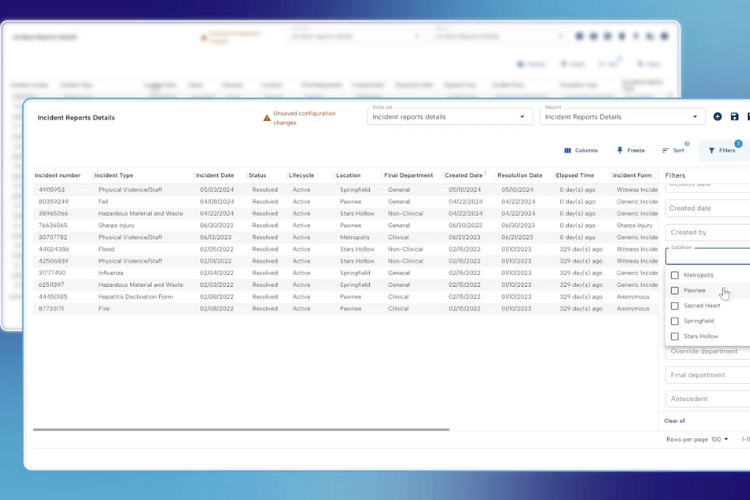
MedTrainer’s healthcare incident reporting software lets you build custom reports from standard fields such as incident number, lifecycle, status, location, date, names involved, and escalation process, and then filter by type, department, or site to focus on what matters. You can save reports you use often and schedule them to send on a routine cadence to leaders or committees. Common views include resolved incidents by month and location, escalations by elapsed time and workflow, and incident counts by type and department for deeper investigation. Filtering also helps you find a single case fast and review the activity log to see every action taken, which is especially helpful for super admins who manage multiple locations. Templates for each incident type keep fields consistent across sites, so the data is cleaner and trend analysis is easier. These tools turn everyday reporting into clear measures of timeliness, volume, and recurring risk that support audits and guide next steps. 

How does MedTrainer centralize incident data for trend analysis?

MedTrainer’s healthcare incident reporting software stores every report in one secure, compliance management system so information from all locations and departments stays in one place and easy to access. Each submission uses standardized fields for type, severity, location, and date, which keeps records consistent and searchable. Centralized data replaces scattered spreadsheets or emails with one accurate source that supports audits, long-term comparisons, and proactive planning. This structure gives teams a clear view of organization-wide performance and helps identify areas that need attention before they become compliance risks.

How does MedTrainer’s incident reporting integrate with its broader compliance tools?

MedTrainer’s healthcare incident reporting software sits inside the same healthcare compliance software you use for training, policy acknowledgment, and credentialing, so incident follow-up ties directly to the rest of your compliance work. If corrective action is required, it’s simple to assign additional training or link to a policy without leaving the system. Real-time reports can be viewed together, so leaders can see how training completion or policy changes relate to incident trends and resolution times. Storing incidents, documentation, and assignments together also makes audits easier, since you can show what happened, who reviewed it, and what corrective steps were completed. The result is one connected workflow for reporting, remediation, and tracking that reduces extra logins and helps teams close the loop faster.

How have customers benefited from using MedTrainer’s incident reporting?

MedTrainer customers save hours every month by using incident reporting software. Automated escalation eliminates the back-and-forth of reviews and approvals. The ability to upload photos, diagrams, and additional information reduces the additional questions that come with many submitted reports. Plus, customized forms for each incident type keep all questions relevant to that incident, so you don’t have to ask as many follow-up questions.

How can an organization request a demo or start using MedTrainer’s incident reporting features?

Getting started is simple! A MedTrainer specialist can show you how our healthcare incident reporting software fits into your compliance process to make reporting, review, and documentation easier. You’ll see how every step of an incident can be managed in one secure platform to save time, improve accuracy, and strengthen accountability across your organization — schedule a personalized demo.