 Learning
 Credentialing
 Compliance


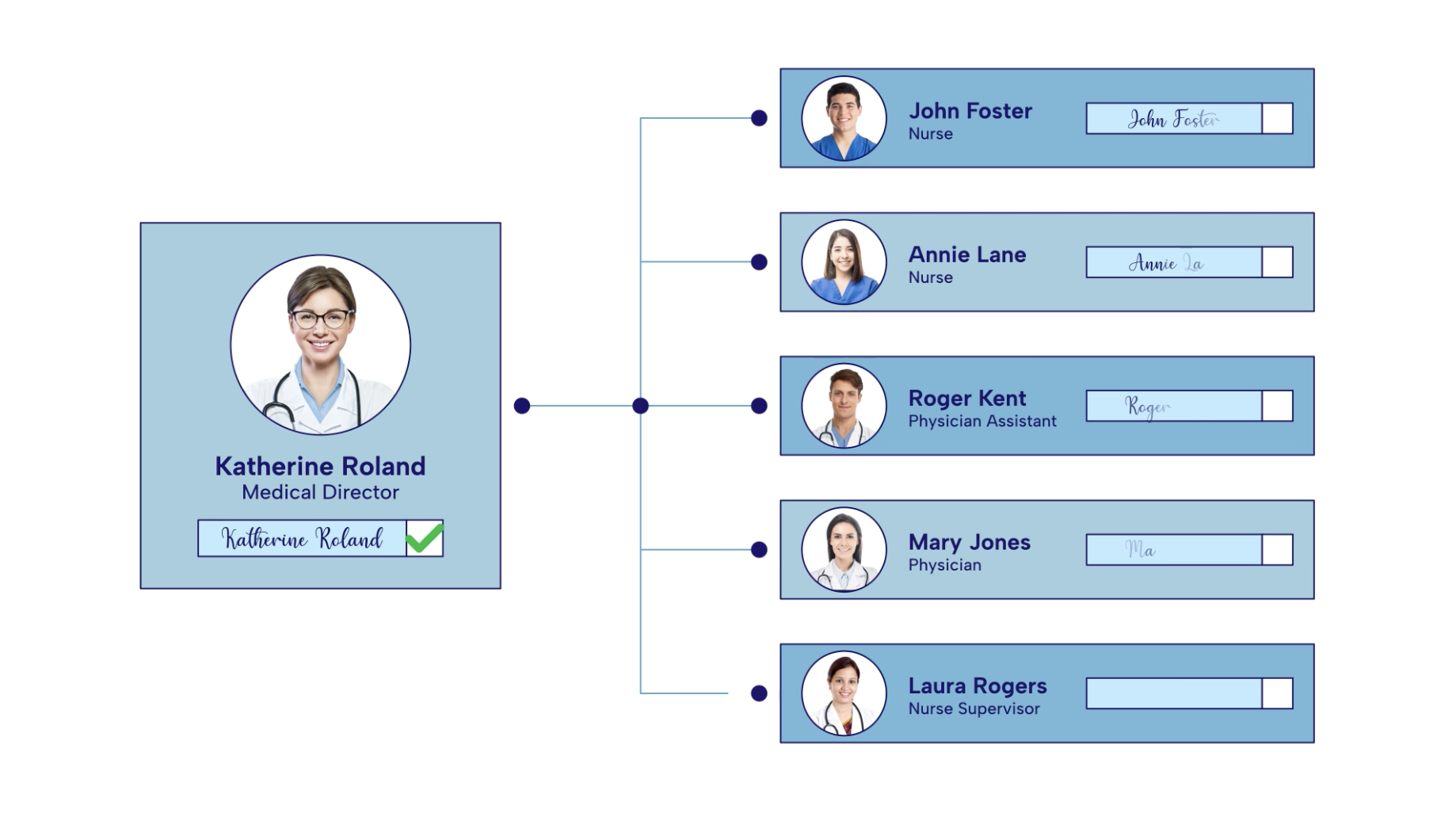
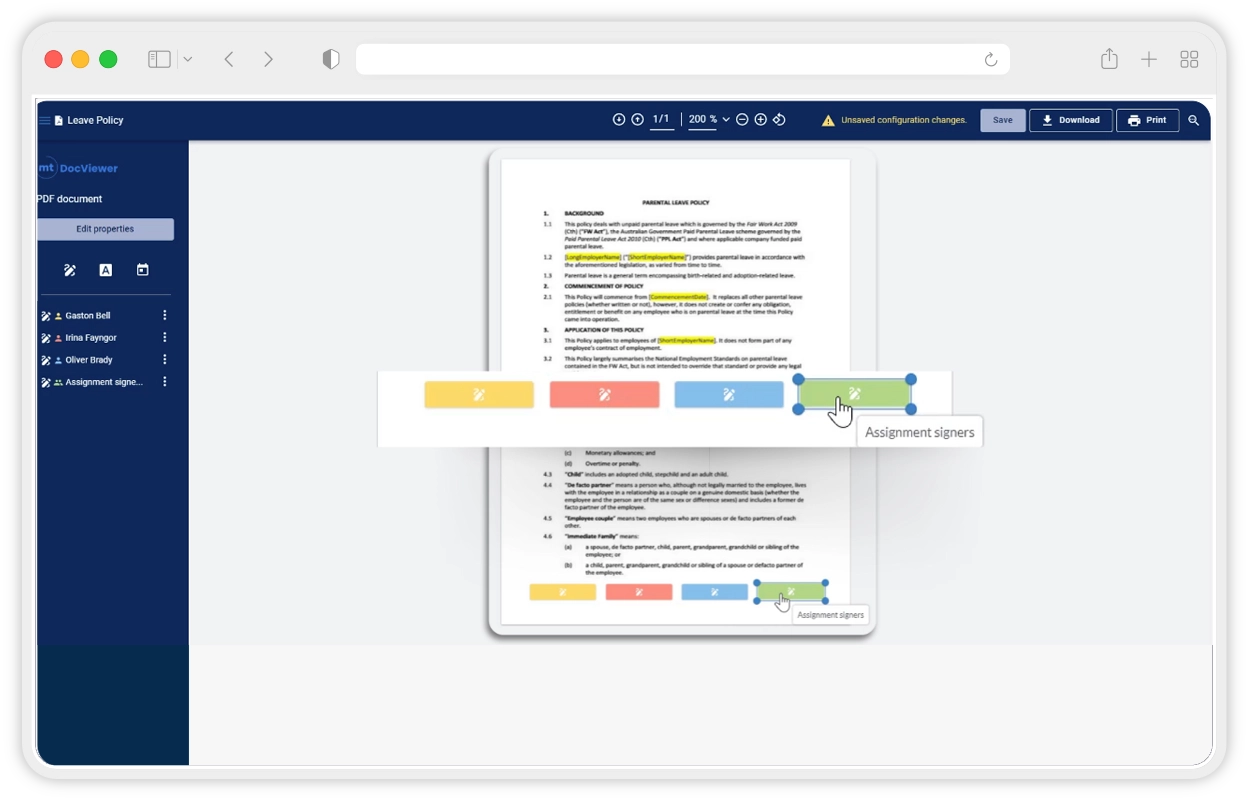
Replace download/upload cycles with ESign Act–compliant electronic signatures. In a central document policy management software, collect multiple signatures on .docx, .pdf, .png, and .jpg, with timestamps and geolocation for defensible audit trails. Internal and external signers complete on any device; board approvals and single sign-offs finish faster.
Why MedTrainer for Healthcare Document Management
See if MedTrainer is right for you
Request a Demo
Benefits of a Complete Healthcare Document Management Solution
- Legally Compliant E-Signatures
- Cost-Effective Document Policy Management Software
- 3,000+ Expert-Drafted Policy Templates
- Audit-Ready Tracking & Reporting
- Automated Compliance Onboarding
Legally Compliant E-Signatures
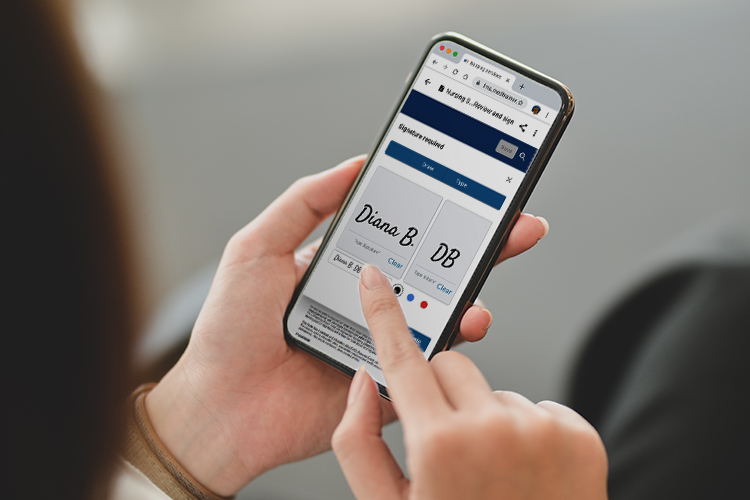
Replace download/upload cycles with ESign Act–compliant electronic signatures. In a central document policy management software, collect multiple signatures on .docx, .pdf, .png, and .jpg, with timestamps and geolocation for defensible audit trails. Internal and external signers complete on any device; board approvals and single sign-offs finish faster.
Cost-Effective Document Policy Management Software
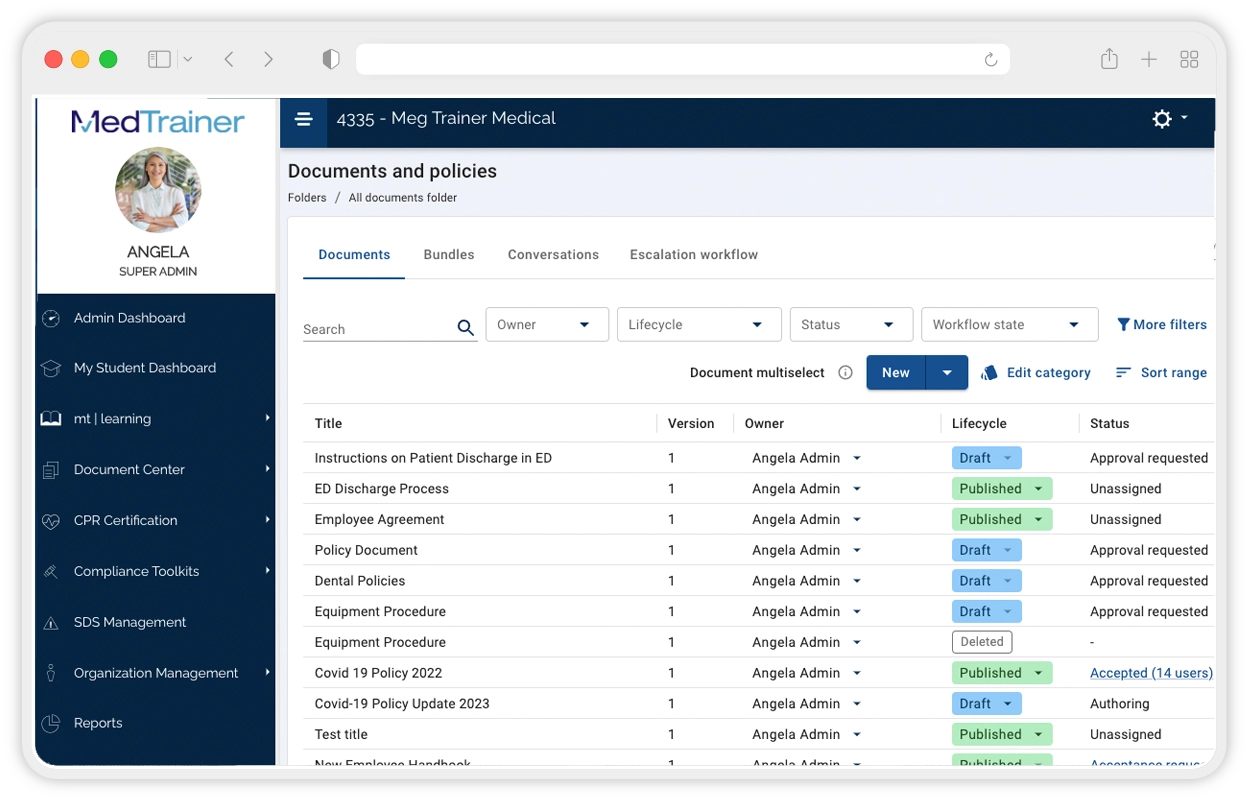
Draft, edit, approve, sign, distribute, track, and archive in one workflow. Organize with drag-and-drop folders, track completion for audits, and ensure employees across departments and locations always see the latest version. Reduce licenses and administrative overhead versus larger signing tools., Gain purpose-built workflows, highly rated support, and integrated functionality that strengthens healthcare compliance outcomes.
3,000+ Expert-Drafted Policy Templates
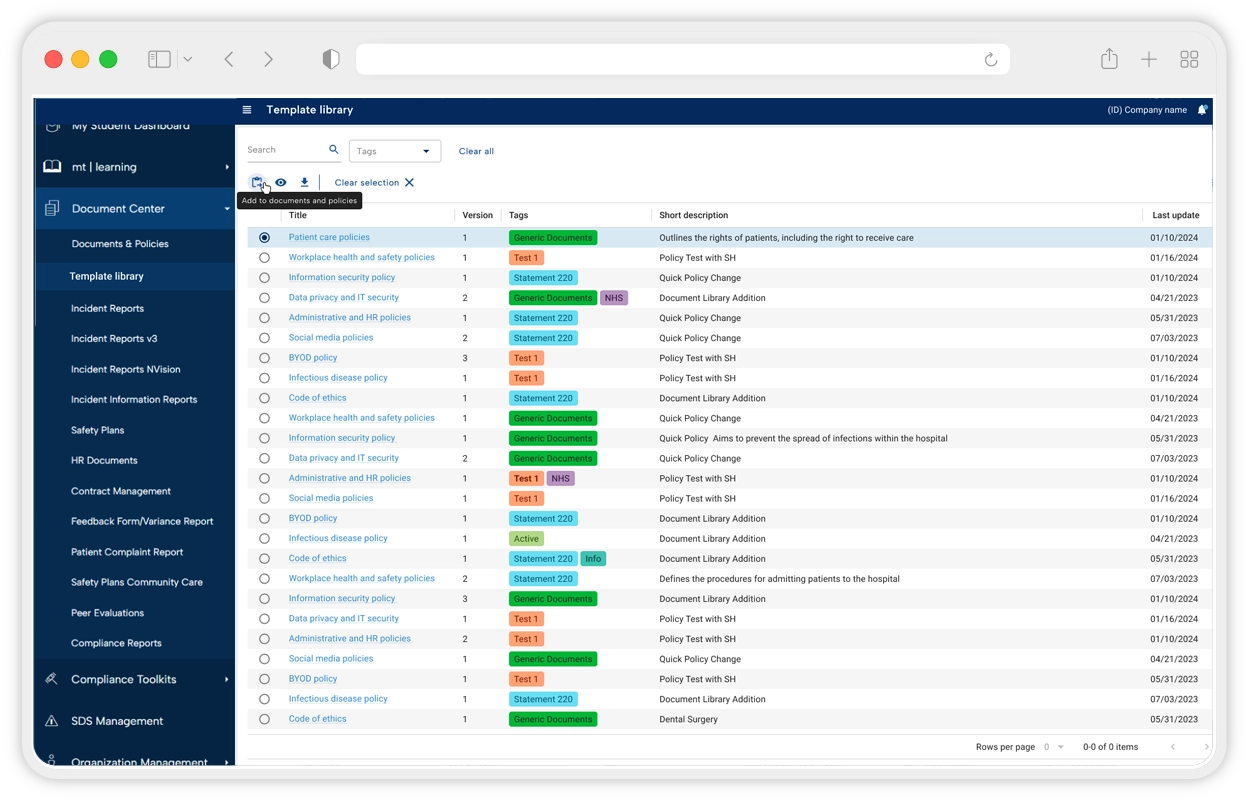
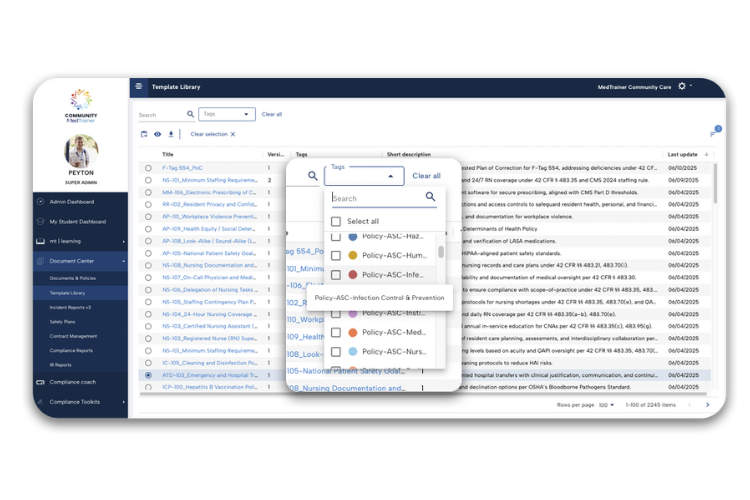
Search by topic or care setting to find exactly what you need from a healthcare document management library of more than 2,000 policy templates. Edit, store, and send for acknowledgment directly in MedTrainer’s healthcare compliance platform to speed rollout. Plans of correction for F-, K-, and E-tags help teams respond quickly to citations and deficiencies.
Audit-Ready Tracking & Reporting
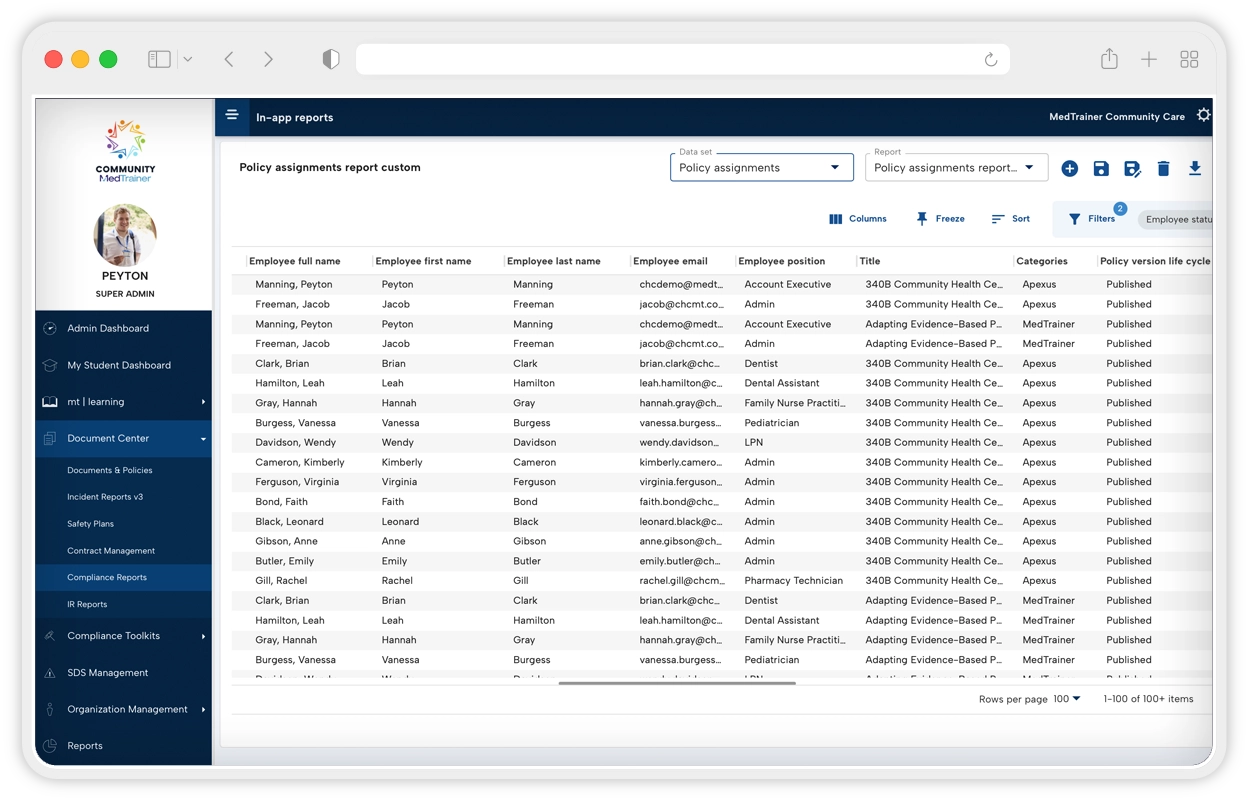
Automatically track revisions, approvals, signatures, and acknowledgments. Real-time status exposes compliance gaps so you can act proactively. Customize and schedule reports to spotlight employees who haven’t acknowledged policies or approved revisions, keeping leadership informed and survey- readiness continuous.
Automated Compliance Onboarding
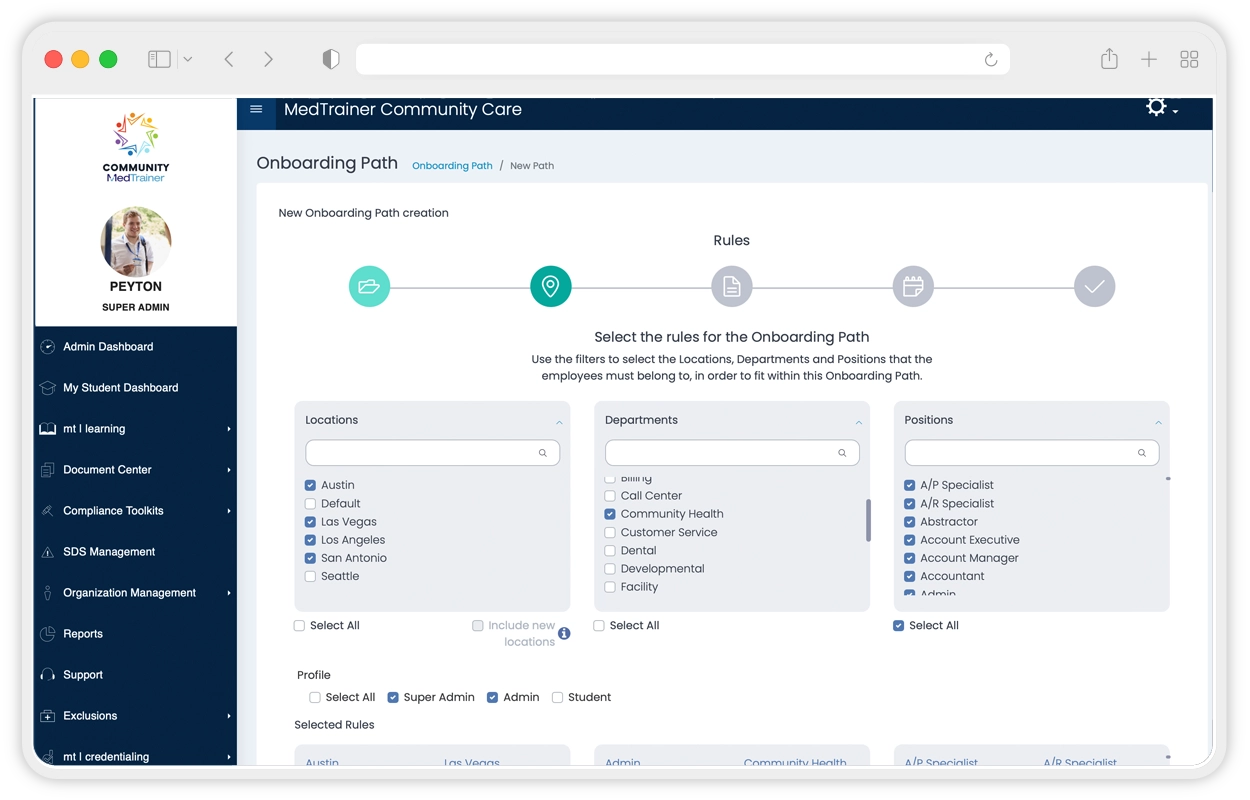
When a new hire is added — often via HRIS integration — MedTrainer’s healthcare document management software automatically assigns required training, policy reviews, and HR forms by role, department, and location. HR saves time, managers gain visibility, and employees start day one aligned with organizational healthcare policies and regulatory compliance requirements.
Legally Compliant E-Signatures
Cost-Effective Document Policy Management Software
Draft, edit, approve, sign, distribute, track, and archive in one workflow. Organize with drag-and-drop folders, track completion for audits, and ensure employees across departments and locations always see the latest version. Reduce licenses and administrative overhead versus larger signing tools., Gain purpose-built workflows, highly rated support, and integrated functionality that strengthens healthcare compliance outcomes.
3,000+ Expert-Drafted Policy Templates
Search by topic or care setting to find exactly what you need from a healthcare document management library of more than 2,000 policy templates. Edit, store, and send for acknowledgment directly in MedTrainer’s healthcare compliance platform to speed rollout. Plans of correction for F-, K-, and E-tags help teams respond quickly to citations and deficiencies.
Audit-Ready Tracking & Reporting
Automatically track revisions, approvals, signatures, and acknowledgments. Real-time status exposes compliance gaps so you can act proactively. Customize and schedule reports to spotlight employees who haven’t acknowledged policies or approved revisions, keeping leadership informed and survey- readiness continuous.
Automated Compliance Onboarding
When a new hire is added — often via HRIS integration — MedTrainer’s healthcare document management software automatically assigns required training, policy reviews, and HR forms by role, department, and location. HR saves time, managers gain visibility, and employees start day one aligned with organizational healthcare policies and regulatory compliance requirements.
What Our Customers Are Saying About Our Healthcare Document Management System
88%
88% of customers say they are more compliant using MedTrainer.
40 hrs
On average, customers said MedTrainer saves them 40 hours per week.
99.8%
99.8% of customers passed all surveys or inspections in the past year by using MedTrainer’s healthcare policy management software.
Benefits
Only pay for what you need and not a dollar more.
Meet compliance and accreditation requirements with automated, multi-person electronic signing, embedded in a full-cycle healthcare document management system.
Reduce the hassle of medical document management with every step in one platform.
Get new hires onboarded faster when you assign all healthcare policies with one click.
Save time with more than 2,000 policy templates drafted by MedTrainer compliance experts.
Get legally-binding electronic signatures on contracts, HR documents, fillable forms, and more.
See how MedTrainer's AI-enhanced workflows blend healthcare expertise with advanced technology.
"We struggled for years managing our documents on paper, across eight different sites. With everything digitized, I was able to make changes directly within the MedTrainer system. Sharing these changes is instantaneous, and everybody gets by-the-minute versions right in front of them."

"I am extremely impressed with MedTrainer. Their compliance software has 7 modules such as Incident Reports, MSDS, Contract Management, Policies and Procedures, Safety Plans, OSHA and HIPAA Training, and Surgical/Equipment Logs that documents daily requirements for accreditation. Everything you need is electronic and has compliance reminders if a day is missed. Wonderful tool and has met all our needs."
See how much you can save with our healthcare policy management software.
Our customers save hours on compliance tasks. So can you.

Resources





Compliance, Learning
Improve Staff Retention Using Structured Healthcare Onboarding Workflows




Compliance, Credentialing
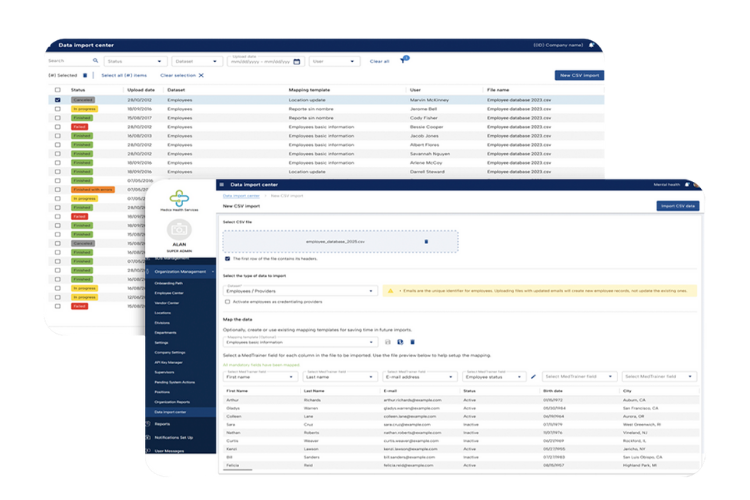
Implementing MedTrainer Is Seamless With the Data Import Center
Compliance, Learning
Empowering Healthcare Workers with Effective Online OSHA Training



Compliance, Learning
How Healthcare Compliance Software Helps Maintain OSHA Compliance




Compliance, Learning
Why Consider A Healthcare Compliance Certificate?


Compliance, Credentialing
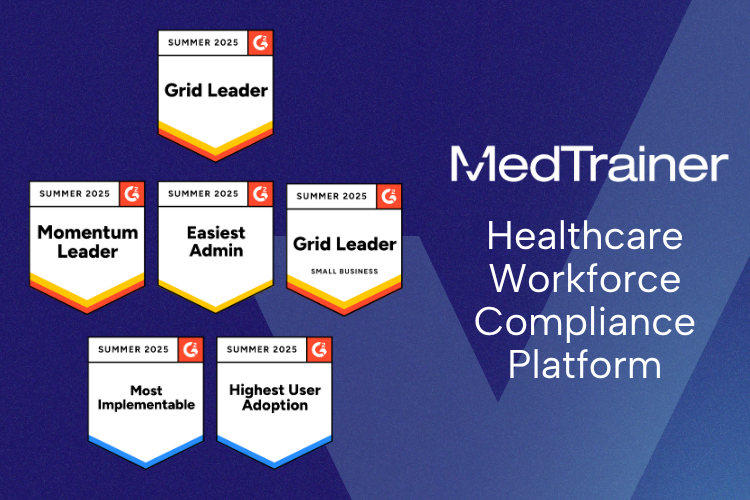
G2 Summer 2025 Reports: MedTrainer Continues Category Leadership With AI, Integration, and Impact













Compliance, Learning
MedTrainer Is a Leader in Healthcare LMS and Compliance According to G2
Compliance, Credentialing, Learning
5 Biggest Challenges To Onboarding Healthcare Professionals

Compliance, Credentialing, Learning
MedTrainer’s Continuous Innovation Results in Nearly 100 Product Enhancements in 2024
Compliance, Learning
Engaging Healthcare Training: From Checking Boxes to Meaningful Learning







Compliance
How To Write Healthcare Compliance Goals

Compliance, Credentialing
Understanding the Privileging Process in Healthcare

Compliance
Who Audits For Healthcare Compliance?


Compliance, Credentialing, Learning
Save Time With Healthcare Onboarding Software




Compliance, Credentialing, Learning
MedTrainer Wins Three Spring 2024 Digital Health Awards For Website & Editorial Excellence



Compliance, Learning
Boost Compliance With Home Health Training

Compliance, Credentialing, Learning
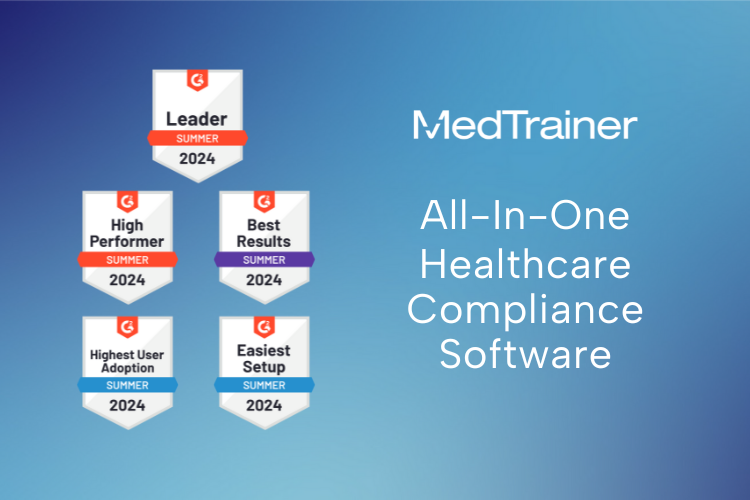
G2 Summer 2024 Reports: MedTrainer Is the Comprehensive Compliance Solution



Compliance, Learning
Executive’s Guide To Choosing an Enterprise Healthcare LMS

Compliance
Three Pillars of Pharmacy Compliance


Compliance, Learning
How To Develop a Healthcare Compliance Training Program







Compliance, Learning
Maintain Compliance With Behavioral Health Training

Compliance, Learning
FQHC Training: Maintaining Compliance and Improving Care



Compliance
Top Chief Compliance Officers To Follow



Compliance, Credentialing
HRSA Credentialing: Master the Operational Site Visit

Compliance
Healthcare Supplier Compliance Checklist





Compliance, Learning
Build Knowledge With Healthcare Compliance Courses

Compliance
Incident Reporting Process in Healthcare



Compliance
Examples Of Incidents In Healthcare




Compliance
What Is A Patient Fall Incident Report?


Compliance
How To Report An Incident In Hospitals

Compliance, Credentialing, Learning
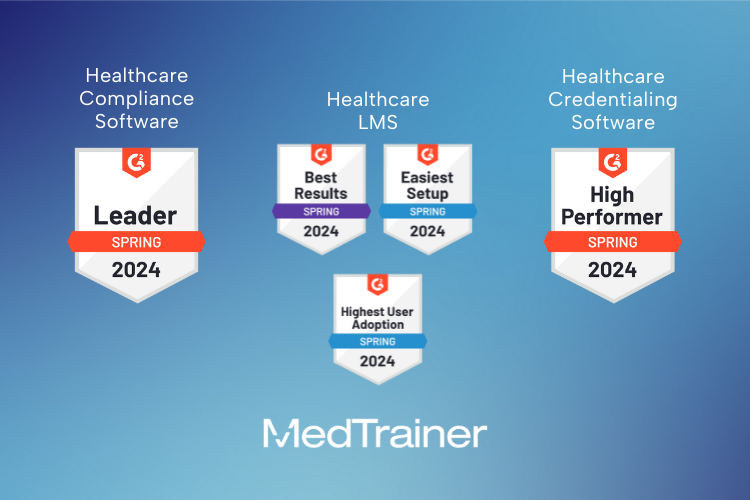
MedTrainer Retains #1 Healthcare Compliance Software Ranking By G2





Compliance
What is the Most Common Medical Error?




Compliance
What is HIPAA Compliance in Healthcare?




Compliance
What is a HIPAA Incident Response Plan?


Compliance
What is an Incident Report in Nursing?

Compliance
What Are Near-Miss Events in Healthcare?


Compliance
HIPAA Incident Response Requirements




















Compliance
What is Non-Compliance in Healthcare?


Compliance, Credentialing
What are Mitigating Circumstances in Healthcare Compliance?


Compliance
What is Healthcare Compliance Ethics?





Compliance
What Is a Healthcare Compliance Analyst?





Compliance
The History of Healthcare Compliance





Compliance
Managing Healthcare Compliance in Idaho

Compliance
Managing Healthcare Compliance in Hawaii



Compliance
Managing Healthcare Compliance in Maine











Compliance
Managing Healthcare Compliance in Alaska




Compliance
Managing Healthcare Compliance in Oregon

Compliance
Managing Healthcare Compliance in Utah


Compliance
Managing Healthcare Compliance in Iowa

Compliance
Managing Healthcare Compliance in Nevada



Compliance
Managing Healthcare Compliance in Kansas











Compliance
Managing Healthcare Compliance in Ohio



Compliance
Managing Healthcare Compliance in Texas



Compliance, Credentialing
How a Government Shutdown Impacts Your Healthcare Business


Compliance
Why Is Healthcare Compliance Important?



Compliance
What Is a Compliance Plan in Healthcare?









Compliance, Learning
Corporate Compliance Training: Mistakes and How To Avoid Them






Compliance, Learning
Microlearning: What Is It and How Should It Be Used for Compliance Training?


Compliance, Learning
Improving Healthcare Employee Attitudes and Work Performance

Compliance, Learning
Why Choose Medical Compliance Certification?




Compliance, Credentialing
What Is a Managed Care Organization (MCO)?




Compliance
What Is Medical Auditing?

Compliance
How To Prepare for an OIG Inspection



Compliance, Credentialing
Spotlight on the Importance of Medical Credentialing

Compliance, Learning
What You Need to Know About Compliance Management Software

Compliance, Learning
The Roles and Responsibilities of a Chief Risk Officer

Compliance, Learning
What Is Enterprise Risk Management (ERM)?

Compliance, Learning
4 Healthcare Regulations You Need To Know

Compliance, Learning
Everything You Need To Know About Stark Law


Compliance, Learning
What Is a Certified Fraud Examiner (CFE)?

Compliance
Creating a Disaster Data Recovery Plan

Compliance, Learning
USP <800> Compliance: Tips To Mitigate Risks Related to the Enforceable Standard

Compliance, Credentialing, Learning
MedTrainer Unveils New Brand With Commitment To Streamline Healthcare Compliance





Compliance, Credentialing, Learning
Mastering Telehealth Compliance in the Post-Pandemic Era

Compliance, Learning
OSHA Inspection Survival Strategies




Compliance, Learning
Planning for the Evolution of Infection Control and Prevention


Compliance
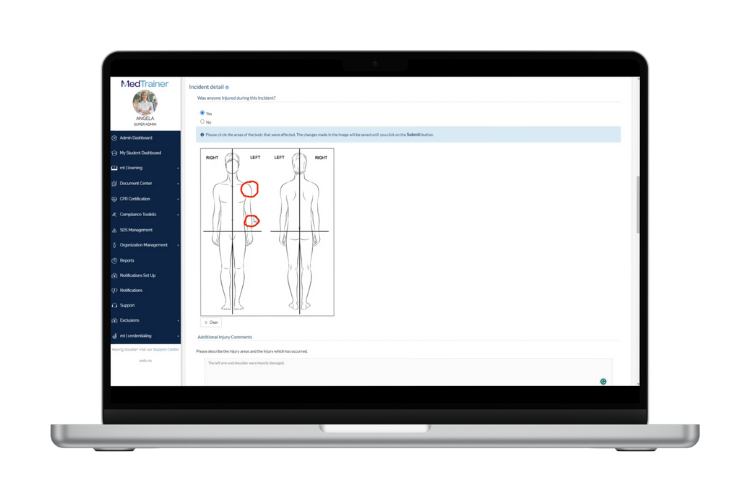
MedTrainer Incident Reporting Forms
Compliance, Learning
How To Mitigate Risks Through Compliance Software

Compliance, Credentialing, Learning
5 Major Digital Trends Shaping Healthcare Compliance


Compliance, Learning
Ideas To Reduce Healthcare Burnout Using Your Compliance Program

Compliance, Credentialing, Learning
MedTrainer Announces $43 Million Series B Funding

Compliance, Learning
6 Tips For Using Technology to Help With Staffing Shortages

Compliance, Learning
Compliance Software and HIPAA Training in Healthcare

Compliance, Learning
The Advantages and Disadvantages of Sharing Patient Information

Compliance, Credentialing, Learning
Accreditation: What Is It and How Can MedTrainer Help?




Compliance, Credentialing, Learning
MedTrainer Rebrands Healthcare Products

Compliance, Learning
Regional Healthcare Leader Realizes 35 Percent Time Savings
Compliance, Credentialing
MedTrainer Partners with MediGroup Physician Services
Compliance, Credentialing
ASC Podcast Features Credentialing, Accreditation, Compliance, and Training Insights From MedTrainer


Compliance, Credentialing
MedTrainer Gains Traction as Healthcare’s Leading Choice for Long-Term Credentialing Management
Compliance, Credentialing, Learning
Maximizing Compliance and Reducing Risk: The Advantages of a Comprehensive Healthcare Compliance Solution

Compliance, Learning
Achieve Compliance With a Healthcare Equipment Maintenance Log




Compliance
OSHA 300 Reporting Requirement Changes


Compliance, Learning
Reducing Needlestick Injuries with Compliance Training & Incident Reporting

Compliance, Learning
Ergonomics and Injury Prevention


Frequently Asked Questions: Healthcare Document Management Software
What is healthcare document management and how does it work in healthcare settings?
Effective healthcare document management keeps your policies and critical documents up-to-date and in one organized, secure hub for everyone who needs them. MedTrainer brings the full process into one place, from draft to distribution and acknowledgment, so teams work from a single source of truth. Without this, people can mistakenly reference incorrect or outdated policies. With MedTrainer, you see version history at a glance and always know which version is active. Admins set required actions and due dates by role or department, and they track completion without manual follow up. Staff see what applies to them and act on time. The same structure supports clinics, hospitals, and multi-location groups where workflows differ but coordination is equally important. You’ll experience faster updates, consistent access across sites, and clear expectations for staff based on the policies that apply today.
How does MedTrainer’s healthcare document management software simplify policy creation and approvals?
MedTrainer simplifies policy creation and approvals with every step of the process in one place. You draft or upload a policy, invite the right people to review, track status, and send it for approval, then our healthcare document management software distributes it to the correct roles and locations for acknowledgment. Automated reminders keep work moving without long email chains or manual follow-ups. It’s easy to see what’s pending and who needs to act, so rollout stays on track and everyone uses the current version. Teams also rely on our best-in-class policy template library of more than 3,000 expert-built templates. Easily search the library to to find the policy you need, tailor it to your program, and avoid most of the work of writing from scratch. Policies move from draft to delivered faster, and your team spends time on higher-value compliance tasks.
Can I use electronic signatures through MedTrainer’s healthcare document management system?
Yes! You can collect legally-binding electronic signatures through MedTrainer’s healthcare document management software. Staff and external approvers can sign from any device, including phones and tablets. Our software accepts common file formats for signing, including docx, .pdf, .png, and .jpg. Set single or multi-signer steps, choose the signing order, or use signing groups when any member can sign for the team. As signatures are applied, MedTrainer records timestamps and, when required, geolocation, so you have a verifiable record. Status dashboards show who has signed and who is missing, keeping work moving without download and upload cycles. Signers type or draw a signature right on the document and save with one click, delivering faster approvals and timely policy rollouts across departments and locations.
What types of policies and templates are included in MedTrainer’s document policy management software?
MedTrainer includes a wide range of healthcare policies and templates to match your program’s needs. Access to our extensive template library with more than 3,000 policy templates is included with MedTrainer’s policy management system and includes procedures, forms, checklists, and plans of correction. Templates are organized for fast search by topic, care setting, department, state, and regulatory area, including HIPAA privacy and security and OSHA safety. You can also select templates mapped to CMS E-, F-, and K-Tag deficiencies for survey follow-up. Document-type tags help you pick exactly what you need, whether a policy, a step-by-step procedure, or a compliance form. You can choose the right starting point and tailor it to your roles and locations, so you publish clear, current policies across sites without creating extra work for your team.
How does MedTrainer’s healthcare document management software support compliance and accreditation?
MedTrainer’s healthcare document management software supports compliance and accreditation by giving you control, tracking, and proof in one place. Policies, assignments, and acknowledgments are automatically tracked and visible across roles and locations, so you see what is due, close gaps early, and document follow-through without chasing staff. You have easy access to all the data accreditation surveyors expect to see, including policy versions, last updates, staff acknowledgements and more. Automated onboarding helps new hires complete compliance tasks faster so they’re ready for work. That consistency reduces risk and keeps daily operations on track. Policy standards stay aligned across sites, and version history and clean reports are ready when you need them. Multi-person signing and approvals happen in the same flow, so your records match your process. When you need documentation, you pull what is required in seconds and move forward. Whether you manage one clinic or a large network, you’ll operate with clear evidence and real confidence.
What makes MedTrainer’s document policy management software more affordable than other options?
MedTrainer is more affordable because it replaces several point tools with one healthcare platform. You draft, approve, sign, distribute, and track policies in a single place, so you no longer need document signing tools, document storage, and distribution systems. This eliminates extra licenses, training, and vendor overhead. Workflows match how healthcare teams operate, which reduces rework and keeps everyone on the same version. Our best-in-class policy template library speeds updates and reduces the hours spent researching and writing from scratch. You avoid file handoffs between systems, and admins spend less time on manual follow-ups. Just as important, confidence in current records and acknowledgments helps you avoid costly findings and the financial risk tied to gaps or missed updates. Instead of paying for a patchwork of tools and the mistakes that come with them, you pay for one platform that keeps policy work organized, current, and ready for compliance needs.
How does the platform improve onboarding through healthcare document management automation?
MedTrainer improves onboarding by getting critical HR forms, contracts, and policies into the hands of new hires faster so they’re compliant sooner. Role- and location-specific policies can be assigned in one click, and reminders keep deadlines on track without chase work. New staff see a clear checklist on day one and complete tasks in order from any device. Managers view progress in real time and pull records whenever needed. Digital form fill and e-signing move paperwork without printing or scanning. Across clinics and locations, the same process runs every time, so nothing gets missed. Your team spends less time pushing tasks and more time supporting care. Staff start seeing patients sooner, and onboarding feels simple and predictable
Can multiple users collaborate and approve documents at once using MedTrainer’s healthcare document management tools?
Yes! Users can collaborate and approve documents at the same time in MedTrainer. You add editors and reviewers, work from one current version, and use comments to resolve changes quickly. Approvals can run at the same time or in order, with individual approvers or groups where any member can sign for the team. Status updates and reminders keep work moving without chasing emails. Permissions by role, department, and location give the right people access and control who edits and who approves. As steps finish, you see what’s done and what’s next, with a clear record of actions. When approvals are complete, you share the document with assigned staff and track acknowledgments. Collaboration across clinics and departments moves faster, with less back-and-forth and a process your team trusts.
How does MedTrainer’s healthcare document management software track and report activity across departments?
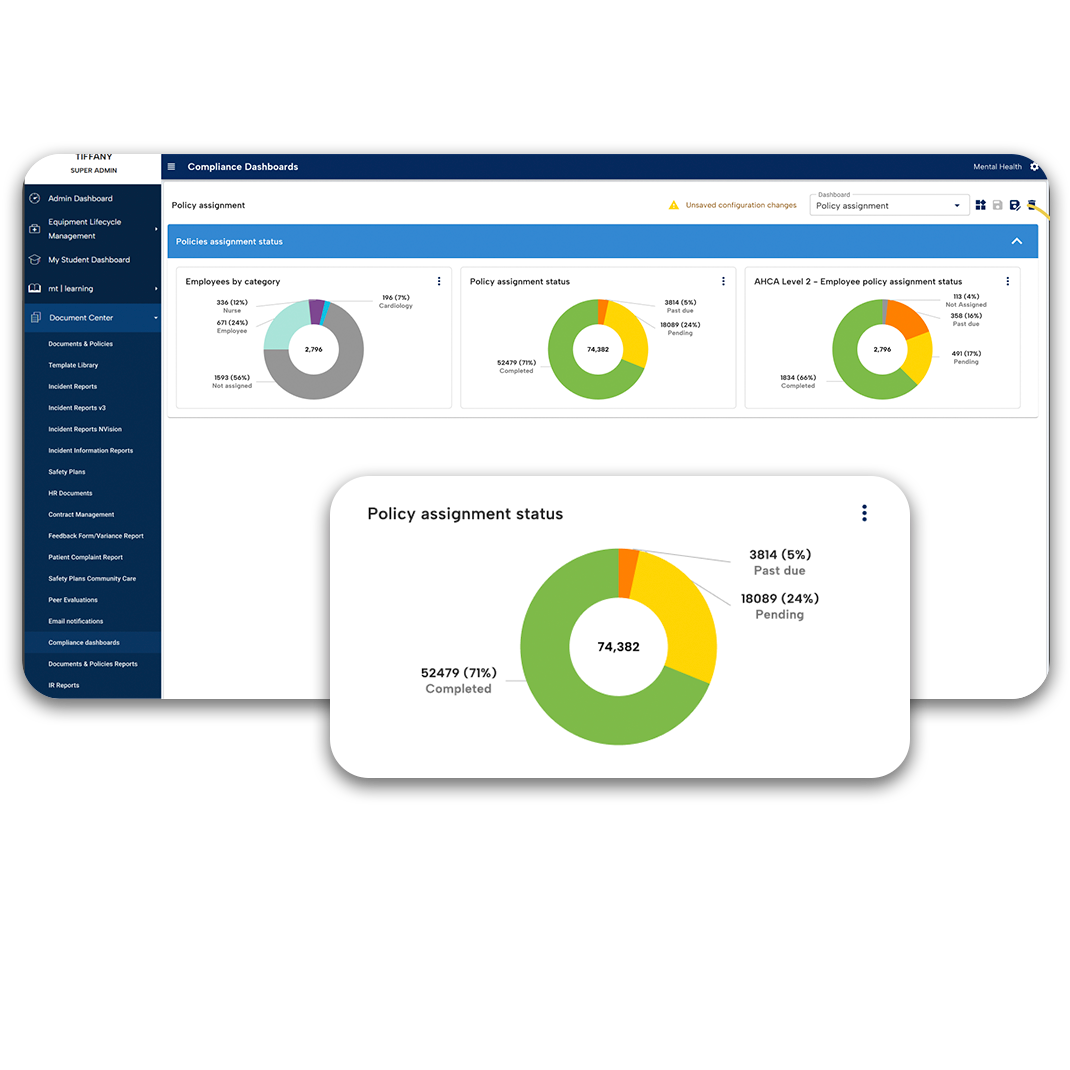
MedTrainer tracks policy activity by role, department, and location, so you always see where work stands. Compliance dashboards show current versions, acknowledgments, and overdue items for the teams you manage. Easily filter by department to view assignments, completion rates, and trends across sites. Version history records who changed what and when, giving context for follow-up. Customizable reports provide the exact view you need, from department summaries to user-level detail, and export in seconds for meetings or reviews. Our document management software offers one source of truth for policies, actions, and dates, so leaders and managers work from the same picture. Departments move with clarity, follow timelines with less chase work, and keep daily operations on track.
What compliance results have organizations achieved using MedTrainer’s document policy management software?
MedTrainer saves time from day one and gives you confident control of policy management. On average, customers save 40 hours per week by replacing manual policy work. That time shifts to steady operations, clear expectations, and faster follow-through across sites. See what MedTrainer customers say. Teams share one view, finish required actions on schedule, and avoid last-minute scrambles. Records are easy to find and share, so reviews move quickly and questions get answered on the spot. New hires receive the right policies on day one and ramp sooner, supporting patient care without extra effort for your team. Leaders and frontline staff see the same status, close gaps early, and keep daily work on track. Less time on busywork means more time for results that hold up under scrutiny – just ask the 99.8% of MedTrainer customers who passed all surveys or inspections last year.
Is MedTrainer’s healthcare document management solution suitable for multi-location healthcare organizations?
Yes! MedTrainer suits multi-location healthcare by keeping policies consistent across sites, while giving every location a clear view in separate reports. You map roles, departments, and locations so staff see only what applies to them, and managers check progress by site without digging. Easy-to-use search and filters surface current versions, acknowledgments, and overdue items in seconds. You can publish a policy to one clinic, a region, or all sites at once, then track completion in the same place. When guidance changes, you update once and know the right teams received the new version. New locations come online faster, transfers move smoothly, and daily work stays aligned. Across HR, operations, and compliance, records are easy to pull whenever needed, so reviews and spot checks feel straightforward anywhere. That clarity reduces back-and-forth and makes organization-wide updates simple for everyone.
How can I request a demo of MedTrainer’s healthcare document management software?
Getting started is simple! A MedTrainer specialist will show how our healthcare document management software fits your compliance process to make policy creation, approvals, distribution, and tracking easier. Schedule a personalized demo.